IMAGE_PICKER
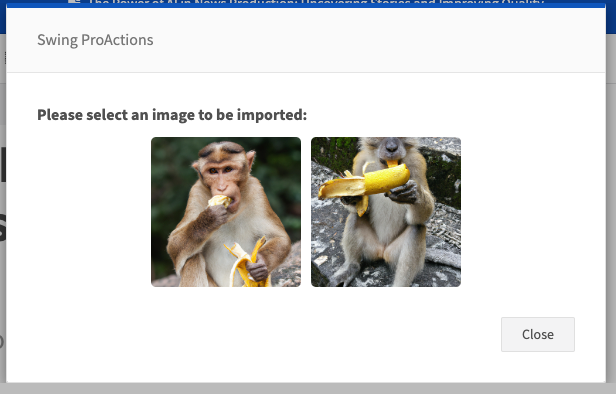
Shows an image picker modal allowing the user to pick one image from a provided list of image objects ({ url, previewUrl?, label? }). The selected image object is stored as an output.
Images
At a glance
- Category UI
- Aliases USER_IMAGE_PICKER
- Version: 1.0.0
- Applications: all
- Scope: all
Config Options
| Name | Description | Default | Required | Resolved | Constraints | Conditional Rules |
|---|---|---|---|---|---|---|
promptText | Prompt text shown in the image picker modal. | None | false | true | None | None |
imageList | List of image objects to show. Each item should contain at least a url and optionally previewUrl and label. | None | false | false | None | None |
Outputs
| Type | Description | Optional |
|---|---|---|
image | Selected image object (includes url, previewUrl?, label?). | false |
Examples
Pick an image from an explicit list
- step: USER_IMAGE_PICKER
  promptText: "Choose an image"
  imageList:
    - url: "https://example.com/image1.jpg"
      previewUrl: "https://example.com/thumb1.jpg"
      label: "Image 1"
    - url: "https://example.com/image2.jpg"
      previewUrl: "https://example.com/thumb2.jpg"
      label: "Image 2"
See Also
General Resources: